
How it works
1
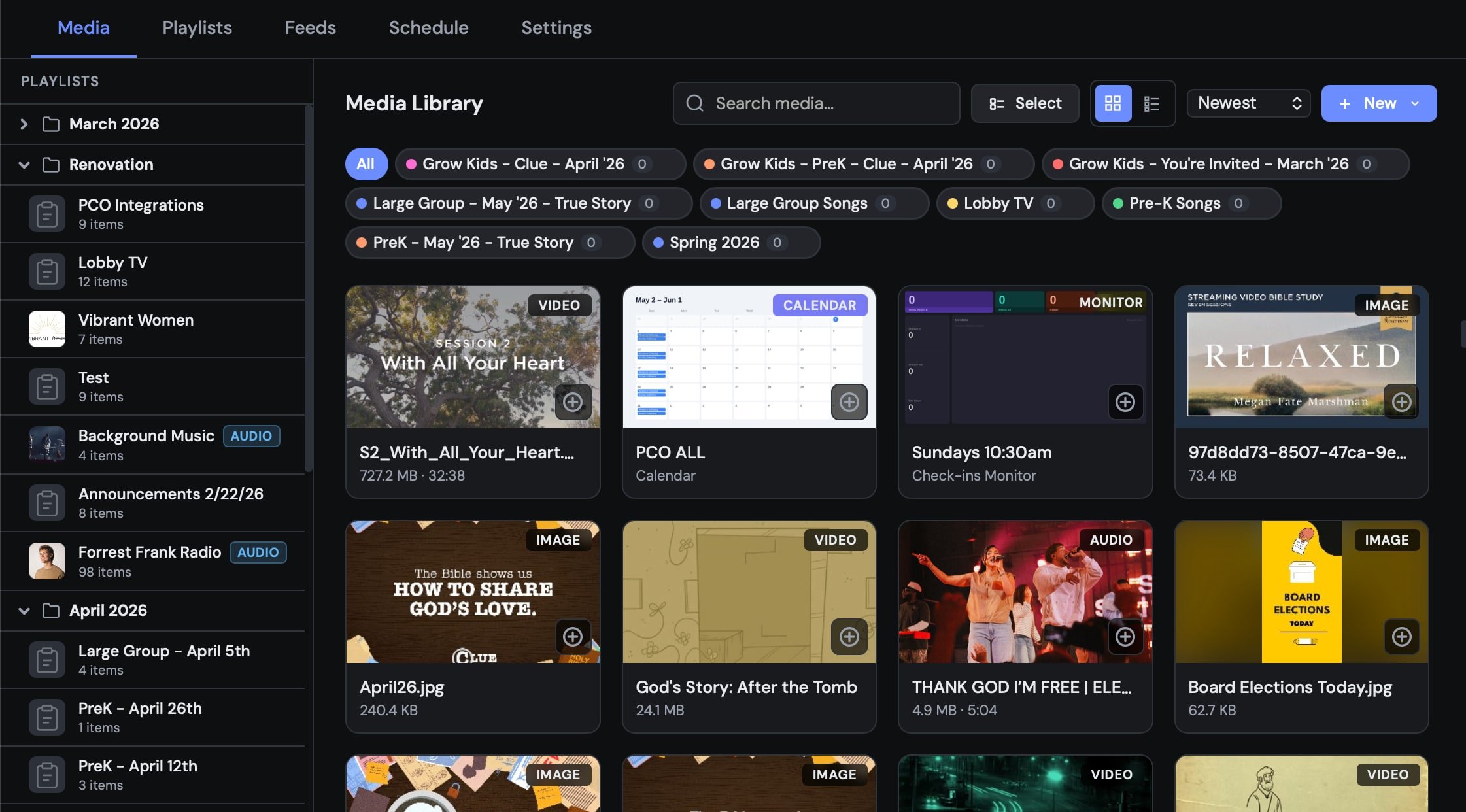
Upload your media
Upload videos, images, audio, and more from the web dashboard. Files are stored securely in your own Google Drive — LightLoop never charges for storage.
2
Build playlists and feeds
Organize media into playlists (ordered sequences) and assign them to a feed. A feed is what your Apple TV subscribes to.
3
Connect your Apple TV
Open the LightLoop app on your Apple TV, enter your Feed ID, and the TV downloads everything automatically.
4
Play — with or without internet
All media is cached locally on the Apple TV. Screens play reliably even if the internet goes down. Changes you make in the dashboard sync in real time when the TV is online.
Why LightLoop?
100% free
No plans, no limits, no feature gates. LightLoop is free for everyone — forever.
Your storage, your files
Media is stored in your Google Drive. Nonprofits on Google Workspace get 100 TB free.
Offline-first playback
Apple TVs cache everything locally. Services run smoothly even when the internet doesn’t.
Real-time sync
Update a playlist on your laptop and every connected TV refreshes automatically — no reboots needed.
Built for live events
Pause points, scheduled playlists, Welcome Party check-in greetings, and PCO integration are all built in.
No coding required
Anyone on your team can manage screens through a simple drag-and-drop web interface.
Four outputs from one Apple TV
TV Wall Output drives a program screen, confidence monitor, and livestream lower-thirds (with downstream-key alpha) from a single Apple TV.
Key concepts
What you’ll need
- A Google account (to sign in and store media)
- An Apple TV (4th generation or newer) with the LightLoop app installed
- Optionally: an iPhone or iPad with the free LightLoop Remote app for live control and stage display
Ready? Start here →
Set up your account and get your first playlist on screen in under 10 minutes.